07 Dec 2021
This newsletter went out via email to the Hotwiring Rails subscriber list, but I know that not everyone wants another email cluttering up their inbox. For those folks, I’ll always publish the full content of the newletter here too, so you can get all the content with none of the emails.
Thoughts or feedback on how I can make this newsletter more valuable? Have something you’d like to include in next month’s edition? Send me an email, or find me on Twitter.
Read the rest
Six-minute read
06 Nov 2021
As you may have heard by now, Rails 7 comes out of the box with importmap-rails and the mighty Webpacker is no longer the default for new Rails applications.
For those who aren’t ready to switch to import maps and don’t want to use Webpacker now that it is no longer a Rails default, jsbundling-rails was created. This gem adds the option to use webpack, rollup, or esbuild to bundle JavaScript while using the asset pipeline to deliver the bundled files.
Of the three JavaScript bundling options, the Rails community seems to be most interested in using esbuild, which aims to bring about a “new era of build tool performance” and offers extremely fast build times and enough features for most users’ needs.
Using esbuild with Rails, via jsbundling-rails is very simple, especially in a new Rails 7 application; however, the default esbuild configuration is missing a few quality of life features. Most important among these missing features is live reloading. Out of the box, each time you change a file, you need to refresh the page to see your changes.
Once you’ve gotten used to live reloading (or its fancier cousin, Hot Module Replacement), losing it is tough.
Today, esbuild doesn’t support HMR, but with some effort it is possible to configure esbuild to support live reloading via automatic page refreshing, and that’s what we’re going to do today.
We’ll start from a fresh Rails 7 install and then modify esbuild to support live reloading when JavaScript, CSS, and HTML files change.
Before we get started, please note that this very much an experiment that hasn’t been battle-tested. I’m hoping that this is a nice jumping off point for discussion and improvements. YMMV.
With that disclaimer out of the way, let’s get started!
Read the rest
17-minute read
03 Nov 2021
View components, via Github’s view_component gem, are growing in popularity in the Rails community but until recently, view components and Turbo Stream broadcasts didn’t play well together. This made using both view components and Turbo Streams in the same application clunky and a little frustrating.
While there were ways to get components working with streams, thanks to a recent addition to turbo-rails, rendering view components from Turbo Streams now works seamlessly out of the box.
To demonstrate how to connect these two powerful tools together, we’ll be building a very simple Rails application that allows users to manage a list of Spies.
Each spy in the list of spies will be rendered using a view component, and when new spies are added to the database, the newly created spy record will be rendered and broadcast via a callback in the spy model.
When we’re finished, it’ll work like this:
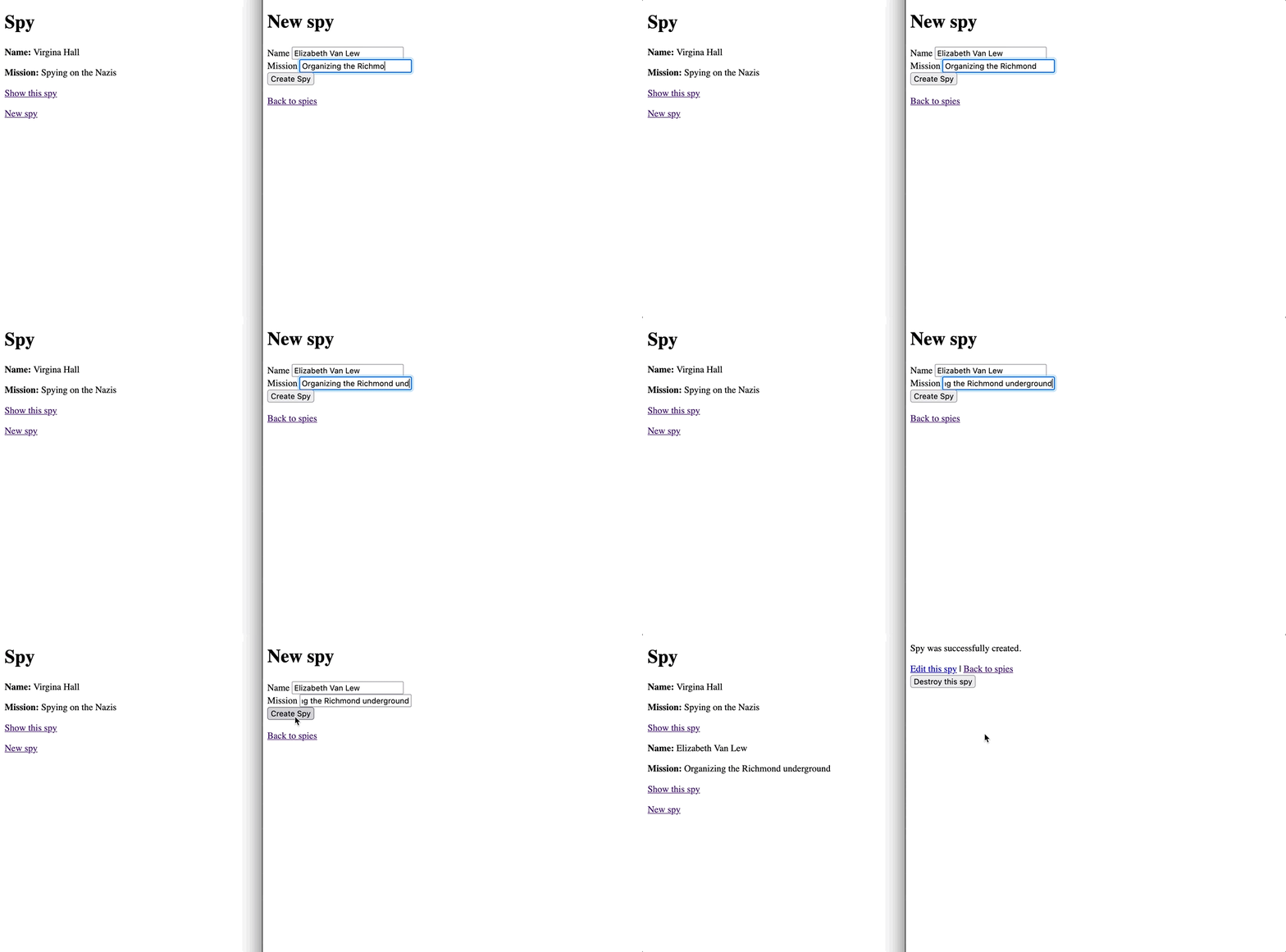
Beautiful, I know.
This article assumes that you’re comfortable building Rails applications. You won’t need any previous experience with Turbo Streams or view components to follow along.
If you want to skip right to the end the complete code for this article can be found on Github.
Let’s start building!
Read the rest
Nine-minute read