01 Nov 2021
This newsletter went out via email to the Hotwiring Rails subscriber list, but I know that not everyone wants another email cluttering up their inbox. For those folks, I’ll always publish the full content of the newletter here too, so you can get all the content with none of the emails.
Thoughts or feedback on how I can make this newsletter more valuable? Have something you’d like to include in next month’s edition? Send me an email, or find me on Twitter.
Read the rest
Four-minute read
15 Oct 2021
Today we are going to build a table that can be sorted, searched, and filtered all at once, using Ruby on Rails, Turbo Frames, a tiny Stimulus controller, and a little bit of Tailwind for styling.
We will start with a sortable, Turbo Frame-powered table that displays a list of Players from a database. We built this sortable table in a previous article — you might find it helpful to start with that article, especially if you are new to Turbo.
When we are finished, users will be able to search for players by name, filter them by their team, and sort the table. Sorting, searching, and filtering all work together, in any combination, and they each occur without a full page turn. The end result will work like this:
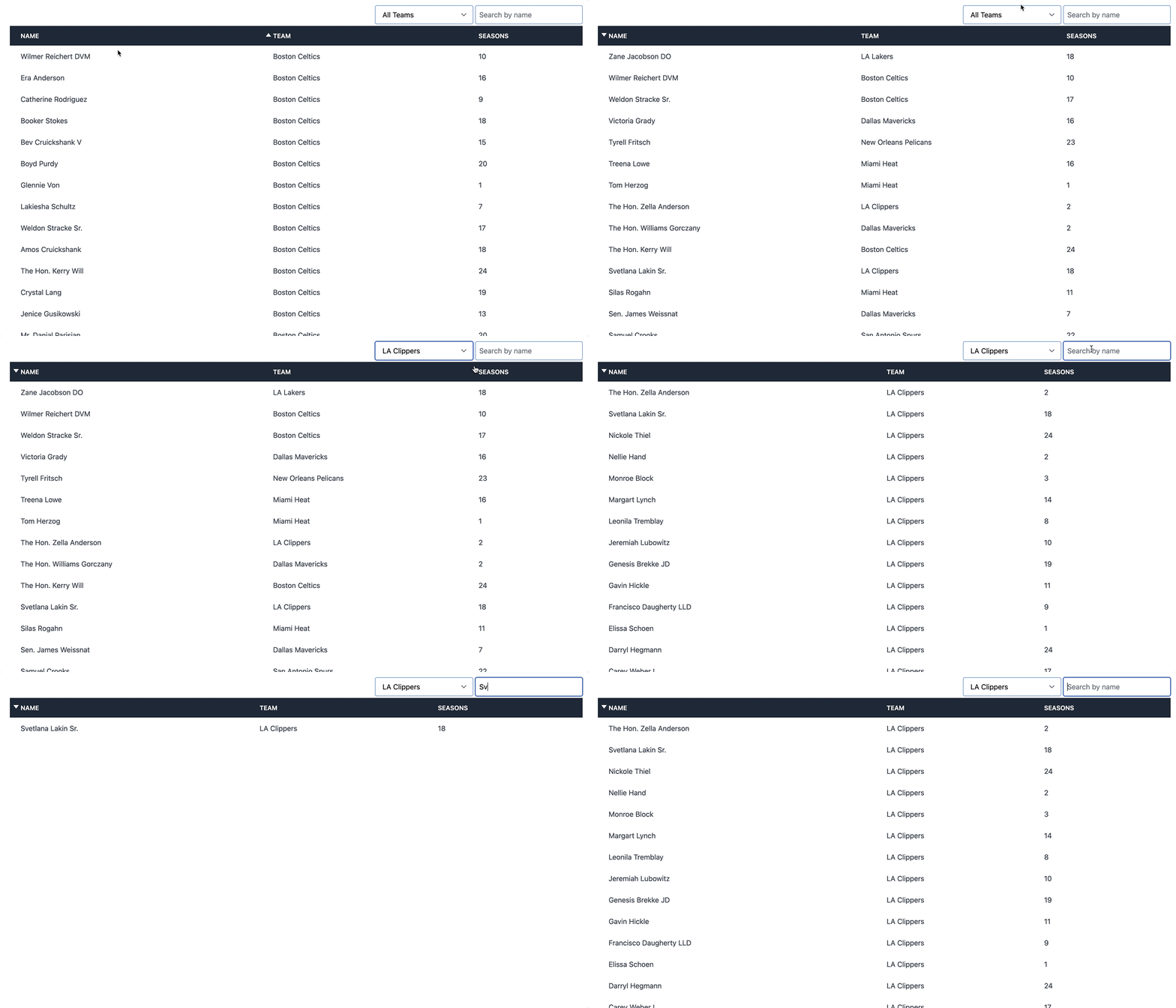
This article is intended for folks who are comfortable with Ruby and Rails code. You won’t need any prior experience with Turbo Frames or Stimulus.
Let’s dive in!
Read the rest
27-minute read
08 Oct 2021
Turbo, part of the Hotwire tripartite, gives you the tools to write dramatically less custom JavaScript than you would otherwise need to build modern, performant web applications.
Turbo is composed of Turbo Drive, Turbo Frames, Turbo Streams, and Turbo Native. Each is a valuable piece of the puzzle but today we’re going to focus on Turbo Frames.
Turbo Frames “allow predefined parts of a page to be updated on request.” Used wisely, frames allow developers to decompose their UI into independently updated pieces, quickly.
Why should I use Turbo Frames?
Turbo Frames unlock a huge amount of potential with minimal changes to existing code and they can be gradually introduced to existing projects without necessitating major architectural changes.
In greenfield projects designed with Turbo Frames in mind, a small team of developers can use frames to deliver fast, efficient user interfaces in dramatically less time than would be required when build a SPA-powered front end.
While Turbo Frames can be used with many different tech stacks, Rails developers will find the tight integration of frames into Rails (via the turbo-rails gem) makes using frames in Rails a breeze.
The Turbo documentation gap
As with many new technologies, one of the barriers to getting started with Turbo Frames is inconsistent/incomplete documentation. Along with problems in the official documentation, much of the tutorial content written about Turbo Frames is already out of date.
Turbo has evolved quickly since its release in December of 2020, and the documentation and supporting tutorials from content creators have struggled to keep pace.
As an example of the documentation gap, turbo-rails doesn’t have any dedicated usage documentation, instead just linking to the base Turbo docs and letting users figure out the rest.
This means that learning to use Turbo Frames in your Rails application today often requires reading the docs, then digging through source code, and then Googling your way through Github issues and forum posts. Turbo Frames can be difficult to approach.
In time the documentation will improve and the community will coalesce around best practices and standards that can be more easily communicated to new users.
In the meantime, here we are.
Read the rest
24-minute read